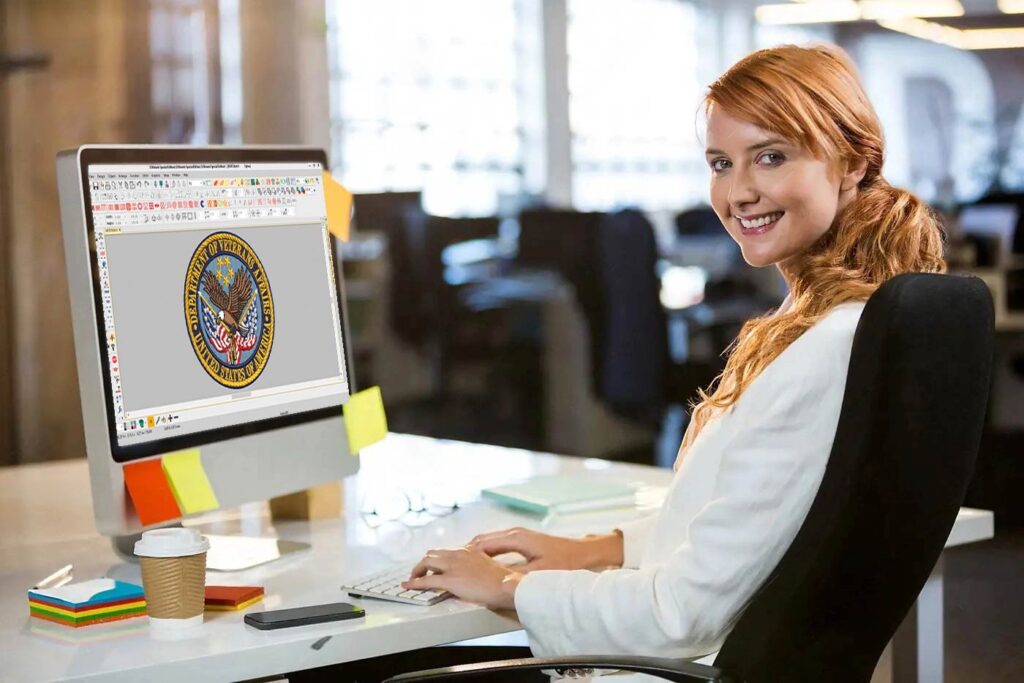

You have a fantastic logo, and now you need it stitched onto a hat, polo shirt, or jacket. This is where many hit a snag. Your graphic file (a PNG, JPG, or AI) is just a picture to an embroidery machine. To bring it to life in thread, you must convert logo to PES embroidery file—the specific format Brother machines read. The promise of doing this in minutes is alluring, but the real challenge is getting a quality file that sews well, not just a quick, stitch-filled mess. The right tool makes all the difference, balancing speed, control, and professional results.
Understanding the “Convert” vs. “Digitize” Dilemma
First, a crucial distinction. When people say “convert,” they often imagine a magical, one-click process. In reality, you’re not converting; you’re digitizing. Digitizing is the complex craft of translating a flat image into a precise sequence of stitch commands, considering thread tension, pull compensation, fabric type, and stitch types. A simple auto-conversion often yields disappointing, unsewable files.
The tools below approach this task differently. We’ll break them into categories: fully automated web tools, hybrid converter/editor software, and professional digitizing platforms. Your choice depends on your design’s complexity, your budget, and how professional the final stitched result needs to be.
Category 1: Automated Online Converters (The “Minute” Solution)
These platforms promise the fastest path from logo to PES. You upload, click a button, and download. They are ideal for very simple shapes, text, or when you need a rough proof-of-concept.
Top Contender:
-
Embird Online Auto-Digitizing: While Embrid is known for advanced software, their online tool offers a surprisingly robust auto-digitizing option. You can adjust parameters like stitch density and length before processing, giving you a bit more control than most pure converters.
How They Work:
These tools use algorithms to trace your image, assign stitch types (like fill for large areas and satin for borders), and generate a PES file. The process often takes under two minutes.
The Reality Check:
-
Pros: Incredibly fast, low cost or free for basic files, no software to install.
-
Cons: Lacks human judgment. Complex logos with gradients, small text, or intricate details will digitize poorly. They often ignore critical steps like underlay (the foundation stitches) and pull compensation, leading to puckered or misaligned embroidery. Use these only for the simplest designs and be prepared to test-sew on scrap fabric.
Category 2: Hybrid Software with Auto-Features (The Balanced Approach)
This category is where most small businesses and serious hobbyists find their sweet spot. These are downloadable programs that offer a strong auto-digitizing function plus the ability to manually edit and refine the resulting design. This gives you the speed of automation with the quality assurance of manual control.
Top Contenders:
-
SewArt (by S & S Computing): This is a dedicated auto-digitizing software. It excels at converting raster images (like PNGs) into stitch files. You get extensive pre-processing controls to clean up your image, specify colors, and define stitch areas. The output is a file you can then open in other editors (like Embrid or PE-Design) to fine-tune. It’s a powerful first step in the chain.
-
Embrid / StitchArtist (Level 1): Embrid’s ecosystem is powerful. Their StitchArtist Level 1 software is designed as an entry point into manual digitizing but includes excellent auto-trace and shape-fitting tools. It guides you to create professional-grade satin columns and fill areas from your vector artwork, offering more structured control than a pure auto-converter.
-
Brother PE-Design 11: Created by the machine manufacturer, PE-Design is a user-friendly suite. Its “Image to Pattern” feature is a smart auto-digitizer. It allows you to select conversion styles (like illustration or patch) and then manually adjust every element—stitch type, density, direction, and sequence—in a visual interface before exporting your PES. This hybrid workflow is perfect for those who want a hands-on role in perfecting their file.
Why This Category Shines:
You get a usable stitch foundation in minutes. Then, you can spend another 15-30 minutes cleaning up stitch paths, optimizing density for your fabric, adding necessary underlay, and ensuring color changes are logical. This process dramatically increases your chance of a successful sew-out without requiring full professional digitizing expertise.
Category 3: Professional Digitizing Software (The Craftsman’s Tool)
For those who digitize regularly or demand broadcast-quality results, professional software is the only choice. There is no true “one-click” conversion here. These are the tools used by the very best embroidery digitizing services to create flawless files.
Top Contenders:
-
Wilcom Hatch:
-
The Industry Powerhouse, Now Accessible: Wilcom is the global professional standard. Hatch is their streamlined, subscription-based offering for small businesses and designers. It doesn’t just convert; it provides a complete environment for creating embroidery from the ground up. Its auto-trace is sophisticated, but the real magic is in its unparalleled manual editing tools, vast stitch library, and incredibly realistic 3D preview. With Hatch, you have total control over every stitch parameter.
-
-
Embrid (with Modules):
-
The Modular Power User’s Choice: Embrid operates on a modular basis. You start with a base and add digitizing, lettering, or auto-tracing modules. Its manual digitizing tools are exceptionally detailed, favored by many seasoned digitizers for their precision and flexibility. While it has a steeper learning curve, its output is exceptional.
-
The Professional Verdict:
Learning these platforms takes time and practice—think days or weeks, not minutes. However, once mastered, they enable you to tackle any logo, no matter how complex, and engineer a PES file that sews efficiently, looks crisp, and lasts. The “in minutes” claim only applies after significant upfront skill development.
The Invisible Best Tool: Professional Digitizing Services
Sometimes, the best “tool” isn’t software you buy, but expertise you hire. If your logo is complex, your time is limited, or the project is high-stakes (like corporate branding), using a professional Embroidery Digitizing Services is the most reliable and often most cost-effective path.
-
How it Works: You upload your logo, select your fabric and size, and a human expert digitizes it with an artist’s eye and an engineer’s mind.
-
The Time Factor: While not “minutes” from your side (typically a 24-48 hour turnaround), it saves you hours of frustration, wasted thread, and failed sew-outs.
-
The Result: You receive a perfectly engineered PES file, optimized for your specific garment and machine, guaranteed to sew out correctly. For a one-off project, this is almost always cheaper than buying professional software.
Your Action Plan: Choosing Your Tool
Follow this simple flowchart to find your best starting point:
-
How complex is your logo? Is it a simple 2-color shape? Try an online converter but test-sew first.
-
Will you be doing this regularly, and is quality important? Invest in hybrid software like PE-Design or Hatch. The learning investment pays off.
-
Is your logo detailed, with gradients, small text, or critical branding needs? Your fastest and surest route to a perfect PES file is to hire a professional digitizing service. The fee is a wise investment in a flawless result.
Conclusion: From Pixels to Perfect Stitches
The dream of clicking a button and getting a perfect PES file is just that—a dream. However, with today’s tools, you can get remarkably close with the right approach. For simple needs, automated tools provide a quick draft. For consistent quality and control, hybrid software offers the perfect balance of automation and hands-on refinement. For the highest standards, professional software or services are the definitive solution.
Ultimately, successfully converting a logo to an embroidery file is less about raw speed and more about choosing the right tool for the job. By matching the capability of the tool to the complexity of your design, you ensure that the minutes you save in creation aren’t lost in hours of machine troubleshooting and disappointing results. Start with a clear understanding of your logo’s needs, and you’ll find the tool that gets you from concept to stitch-ready PES efficiently and effectively.